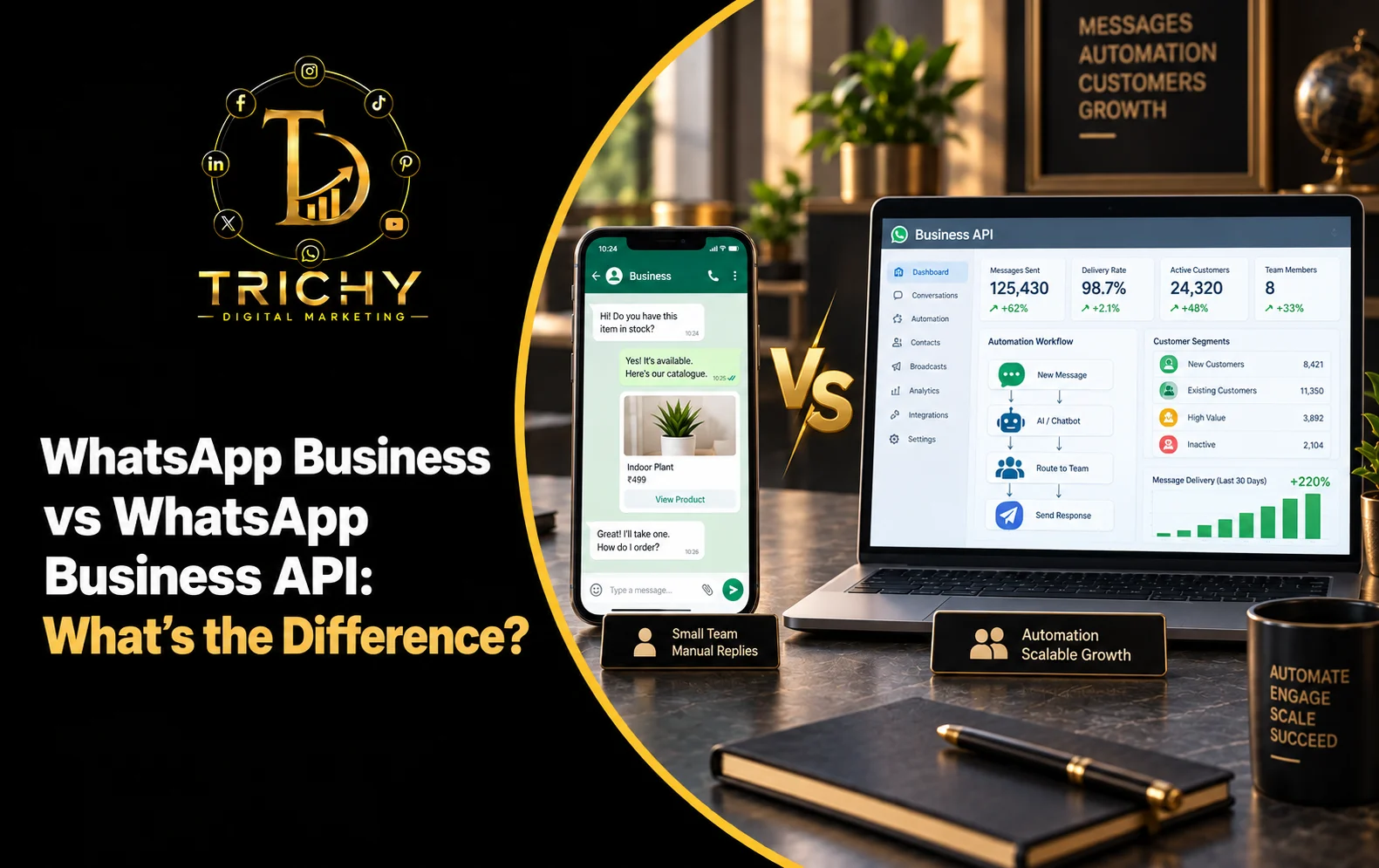
Quick Answer: WhatsApp Business App vs API
The WhatsApp Business App is designed primarily for businesses that want to manage customer conversations directly through a WhatsApp application, while the WhatsApp Business Platform/API is designed for businesses that need to connect WhatsApp with software, workflows, automation, customer-service systems, or other business tools.
A simple way to think about the difference is:
WhatsApp Business App = manage conversations through the app.
WhatsApp Business Platform/API = connect WhatsApp to business systems and build communication workflows.
For a small business with one or a few people handling customer conversations manually, the app may provide enough functionality. A business with higher conversation volume, multiple agents, CRM integration, automated workflows, or more advanced operational requirements may need the Platform/API.
The right choice depends on business size, conversation volume, team structure, automation requirements, integrations, and operational complexity.
Introduction
WhatsApp has become an important communication channel for many businesses.
A small retailer might use it to answer product enquiries.
A salon might use it for appointment communication.
A training institute might use it for course enquiries.
A larger business may want WhatsApp conversations to automatically connect with its CRM, assign leads to different salespeople, trigger notifications, and integrate customer communication with other systems.
This is where an important question appears:
Should the business use the WhatsApp Business App or the WhatsApp Business Platform/API?
The two are related, but they are designed for different operational needs.
Choosing between them is not simply about selecting the "more advanced" option.
The better question is:
"How complex is our customer communication process?"
What Is the WhatsApp Business App?
The WhatsApp Business App is a business-focused application that allows businesses to communicate with customers through WhatsApp.
It is generally suited to businesses that manage conversations directly rather than connecting WhatsApp to a larger software system.
Typical business activities can include:
-
Customer enquiries.
-
Product communication.
-
Service enquiries.
-
Appointment communication.
-
Customer support.
-
Business profile management.
-
Product or service presentation through available business features.
-
Direct customer conversations.
For a small business owner who personally handles most WhatsApp conversations, this can be a practical starting point.
Example
A local boutique receives 20–30 customer enquiries per day.
The owner or a small team can respond directly through the WhatsApp Business App.
The workflow may simply be:
Customer message → Business response → Product details → Order
There may be no need for a complex software integration.
What Is the WhatsApp Business API?
The term WhatsApp Business API is commonly used to describe the programmatic way businesses connect WhatsApp with software and business systems.
Meta's current documentation refers more broadly to the WhatsApp Business Platform, which includes WhatsApp Business APIs, including the Cloud API hosted by Meta.
The Platform/API can be used when a business needs WhatsApp communication to become part of a larger operational system.
For example:
Website enquiry → CRM → WhatsApp workflow → Sales team → Follow-up → Conversion
Instead of relying entirely on people manually managing every step, software can help organise parts of the process.
Possible use cases include:
-
CRM integration.
-
Automated customer workflows.
-
Lead routing.
-
Customer-service systems.
-
Notifications.
-
Automated responses.
-
Business software integrations.
-
Multi-agent communication.
-
Structured campaign workflows.
The exact implementation depends on the business's technology stack and the WhatsApp Business Platform setup being used.
WhatsApp Business App vs API: The Core Difference
The simplest comparison is:
|
WhatsApp Business App |
WhatsApp Business Platform/API |
|
App-based business communication |
Software-connected business communication |
|
Primarily managed through WhatsApp |
Can be integrated into business systems |
|
Suitable for direct manual conversations |
Suitable for structured and automated workflows |
|
Easier starting point |
More technical setup |
|
Useful for smaller operations |
Useful for growing or complex operations |
|
Limited integration compared with API-based setups |
Designed for integrations |
|
Conversations managed directly by users |
Conversations can be routed through software and connected systems |
|
Less operational complexity |
Greater technical and operational flexibility |
The important point is that the Platform/API is not simply a "better version" of the app.
It solves a different problem.
WhatsApp Business API Difference: What Changes for a Business?
The biggest difference appears when customer communication becomes a process rather than a simple conversation.
App-Based Process
A salesperson receives:
"I'm interested in your service."
They manually respond.
Then they manually follow up.
Then they update their own notes.
API-Connected Process
A customer submits an enquiry.
The system can potentially:
Capture lead → Create/update customer record → Route conversation → Send appropriate message → Notify salesperson → Record interaction
The exact workflow depends on the software integration.
This is where the API becomes valuable.
Feature Comparison: WhatsApp Business App vs API
|
Feature / Requirement |
Business App |
Business Platform/API |
|
Business profile |
Yes |
Yes, depending on setup |
|
Direct customer conversations |
Yes |
Yes |
|
Manual responses |
Yes |
Yes, through connected solutions |
|
Product/catalogue features |
Available through supported business features |
Depends on implementation |
|
Automation |
Basic business features |
More advanced programmable workflows |
|
CRM integration |
Limited compared with API-based integration |
Stronger integration capability |
|
Lead routing |
Mostly manual |
Can be automated through connected systems |
|
Multi-agent workflows |
More limited |
Designed for scalable business communication |
|
Custom software integration |
Limited |
Core use case |
|
Automated notifications |
Limited/simple |
Stronger capability |
|
Developer integration |
No programming required for basic app use |
Requires technical setup or an appropriate solution |
|
Operational scalability |
Suitable for simpler workflows |
Better suited to complex workflows |
Feature availability can change, and businesses should verify the current product documentation and provider capabilities before implementation.
WhatsApp API or Business App: Which Is Better for a Small Business?
For many small businesses, the first question should not be:
"Can I get the API?"
It should be:
"Do I actually need the API?"
If a business has:
-
A small team.
-
Moderate customer conversations.
-
Mostly manual communication.
-
No CRM integration requirement.
-
No complex automation requirement.
-
One straightforward customer journey.
the WhatsApp Business App may be sufficient.
Example
A small tailoring business receives customer enquiries about:
-
Designs.
-
Measurements.
-
Pricing.
-
Delivery dates.
The owner handles conversations personally.
There may be little benefit in introducing a technically complex setup before the business actually needs it.
When the WhatsApp Business Platform/API Starts Making Sense
The Platform/API becomes more relevant when communication becomes difficult to manage manually.
Consider a business receiving:
500+ enquiries
from:
-
Website.
-
Instagram.
-
Advertising.
-
Existing customers.
Now several salespeople need to handle conversations.
The business may want:
-
Automatic lead assignment.
-
CRM integration.
-
Customer history.
-
Automated notifications.
-
Follow-up workflows.
-
Reporting.
-
Multiple customer-service agents.
-
Integration with internal software.
This is where an API-based architecture can become more appropriate.
WhatsApp Business API Explained Through a Real Example
Imagine an education company receives enquiries for multiple courses.
Without an integrated system
Customer sends:
"I want details about the digital marketing course."
A staff member manually:
-
Responds.
-
Collects the student's information.
-
Sends course details.
-
Records the lead.
-
Remembers to follow up.
As lead volume grows, this becomes difficult to manage consistently.
With an integrated WhatsApp workflow
The customer starts a WhatsApp conversation.
The system can be designed to:
-
Identify the enquiry type.
-
Collect relevant information.
-
Create or update a lead record.
-
Route the conversation.
-
Trigger appropriate communication.
-
Allow a salesperson to take over.
-
Record the outcome.
The technology does not eliminate the need for people.
It helps organise repetitive communication and operational workflows.
Automation: The Major Difference
Automation is one of the biggest reasons businesses consider the API.
Possible workflows include:
Lead Acknowledgement
Enquiry received → Automatic acknowledgement
Booking
Booking completed → Confirmation message
Reminder
Upcoming appointment → Reminder workflow
Order
Order status changes → Customer notification
Lead Follow-Up
Lead remains pending → Follow-up workflow
Customer Support
Customer selects issue → Route to appropriate team
Automation should be used where it improves the customer experience.
Automating a confusing or poorly designed process can simply make the problem happen faster.
WhatsApp Business App vs API for Team Management
Team structure can influence the decision.
Small Team
A business with one or a few people may be able to manage conversations directly.
Growing Team
As more employees handle customer communication, businesses may need:
-
Conversation assignment.
-
Lead ownership.
-
Customer history.
-
Internal notes.
-
Status tracking.
-
Reporting.
This is where software-connected WhatsApp communication can become increasingly useful.
For example:
New lead → Sales Team A
Existing customer → Customer Support
Payment-related query → Accounts
Technical issue → Support Team
The exact routing requires a suitable business system or integration.
WhatsApp Business vs API for CRM Integration
A CRM can contain information such as:
-
Customer name.
-
Contact information.
-
Lead source.
-
Previous interactions.
-
Purchase history.
-
Sales stage.
-
Assigned salesperson.
-
Follow-up date.
Connecting WhatsApp communication to the CRM can reduce the need to maintain customer information separately.
A possible workflow is:
WhatsApp enquiry → CRM lead → Assigned salesperson → Conversation → Follow-up → Conversion
This can be particularly useful for businesses with structured sales teams.
WhatsApp Business API and Customer Notifications
Some businesses have communication that follows predictable events.
For example:
Travel Business
Booking → Confirmation → Reminder → Travel update
E-commerce Business
Order → Confirmation → Shipping update → Delivery
Training Business
Registration → Confirmation → Class reminder → Schedule update
Service Business
Booking → Appointment confirmation → Reminder → Service completion
These workflows can potentially be integrated into business software using the Platform/API.
Important Messaging Rules for the WhatsApp Business Platform
Businesses should not assume that an API connection means they can message customers without restrictions.
Current WhatsApp Business policy says that on the Platform, businesses can initiate conversations using approved message templates. When a user messages the business, the business can respond without a template during the applicable 24-hour customer-service window; outside that window, approved templates are required for business-initiated messages.
Businesses are also responsible for obtaining the necessary permissions and complying with applicable laws and privacy requirements. WhatsApp's policy recommends clear opt-in expectations and respecting requests to stop receiving particular categories of messages.
Therefore:
API ≠ unlimited bulk messaging.
A proper WhatsApp strategy must consider:
-
Message relevance.
-
Approved templates where required.
-
Platform policies.
-
Applicable laws.
-
Customer preferences.
-
Quality of communication.
WhatsApp Business App vs API: Cost Considerations
Cost is another important difference, but it should not be reduced to a simple "app is free, API is paid" statement.
The overall cost of an API-based setup can involve:
-
WhatsApp Business Platform messaging charges where applicable.
-
Software or integration costs.
-
CRM costs.
-
Automation tools.
-
Development.
-
Maintenance.
-
Third-party solution-provider costs where used.
-
Staff and implementation costs.
The Business App may have a much simpler operational setup for a small business.
An API-based system can require a larger initial investment, but it may provide value when manual communication becomes inefficient.
The relevant calculation is:
Technology Cost → Time Saved → Leads Managed → Conversions → Business Value
The S.C.A.L.E. Framework for Choosing WhatsApp Business or API
A practical decision framework is S.C.A.L.E.
S — Size of Communication
How many customer conversations are you handling?
C — Complexity
How many steps exist between enquiry and conversion?
A — Automation
Do you need automated workflows or notifications?
L — Linking Systems
Do you need CRM, ERP, website, or custom software integration?
E — Experience
Will a more structured system improve the customer experience?
The decision can be summarised as:
Simple communication → Business App
Complex, integrated communication → Platform/API
The exact point at which a business should switch depends on its operational requirements.
Decision Guide: Should You Use the App or API?
|
Your Situation |
Consider |
|
Owner personally handles most chats |
Business App |
|
Small customer volume |
Business App |
|
Basic product/service enquiries |
Business App |
|
Simple customer support |
Business App |
|
Need CRM integration |
Platform/API |
|
Multiple teams handling conversations |
Platform/API |
|
Complex automated workflows |
Platform/API |
|
Large-scale structured notifications |
Platform/API |
|
Custom software integration |
Platform/API |
|
Detailed lead-routing requirements |
Platform/API |
|
Growing sales operation |
Platform/API |
This is a decision guide, not a strict technical rule.
A business can also start with the App and move toward a Platform/API architecture as its requirements become more complex.
If X → Check Y → Do Z
If your team can manage conversations manually
Check: Whether there are recurring operational problems.
Do: Continue with the Business App until there is a genuine need for more advanced functionality.
If customer enquiries are getting missed
Check: Conversation volume, response ownership, and follow-up processes.
Do: Improve team workflows first and evaluate whether a software-connected setup is needed.
If multiple employees need access to structured customer conversations
Check: Whether your current process provides clear ownership and customer history.
Do: Consider a Platform/API solution that fits your team workflow.
If you need CRM integration
Check: Whether your CRM or software supports the required WhatsApp integration.
Do: Evaluate a suitable Platform/API implementation.
If you want to automate every message
Check: Whether automation actually improves the customer experience and complies with WhatsApp messaging requirements.
Do: Automate predictable, useful workflows while keeping appropriate human escalation paths.
If API costs seem high
Check: The operational cost of your current manual process.
Do: Compare the full cost of implementation against time saved, conversations managed, customer experience, and measurable business outcomes.
Common WhatsApp Business API Mistakes
1. Choosing API Because It Sounds More Advanced
More technology does not automatically mean better business results.
2. Moving to API Too Early
A small business with simple communication may not need a complex integration.
3. Waiting Too Long to Automate
If large volumes of conversations are already creating missed leads and inconsistent follow-ups, continuing with purely manual processes can also become costly.
4. Ignoring Template Requirements
Businesses using the Platform should understand when approved templates are required.
5. Treating Automation as a Replacement for Customer Service
Customers should have an appropriate path to human assistance when needed. WhatsApp's policy specifically describes escalation paths for automated interactions.
6. Ignoring Consent and Customer Preferences
Businesses are responsible for obtaining appropriate permissions and respecting communication preferences.
7. Choosing a Provider Without Checking the Technical Setup
Before implementation, verify:
-
What platform is being used?
-
Who controls the account?
-
How is billing handled?
-
How are templates managed?
-
What integrations are supported?
-
How is customer data handled?
-
What happens if the provider relationship ends?
A Simple Migration Path From App to API
A business does not need to build a complex system overnight.
Stage 1 — Manual
WhatsApp Business App
Customer conversations are managed directly.
Stage 2 — Organised
Create:
-
Lead stages.
-
Response templates.
-
Follow-up processes.
-
Customer records.
Stage 3 — Integrated
Connect WhatsApp with relevant business software.
Stage 4 — Automated
Automate predictable workflows such as:
-
Acknowledgements.
-
Notifications.
-
Reminders.
-
Lead routing.
-
Follow-ups where appropriate.
Stage 5 — Optimised
Measure:
-
Response time.
-
Lead conversion.
-
Customer satisfaction.
-
Automation performance.
-
Cost per conversation.
-
Revenue impact.
This creates a gradual path instead of introducing unnecessary complexity immediately.
Best Practices for Choosing WhatsApp Business or API
Before making a decision:
-
Estimate your current conversation volume.
-
Identify where manual work is slowing the team down.
-
List the systems that need integration.
-
Identify repetitive communication workflows.
-
Determine whether multiple teams need access.
-
Review applicable WhatsApp messaging requirements.
-
Understand template requirements for Platform-initiated conversations.
-
Check customer consent and communication preferences.
-
Calculate implementation and operating costs.
-
Define the business outcome you expect from the change.
-
Choose technology based on actual requirements rather than perceived sophistication.
Key Takeaways
-
WhatsApp Business vs WhatsApp Business API is primarily a comparison between simpler app-based communication and more integrated, programmable business communication.
-
The WhatsApp Business App can be suitable for small businesses managing customer conversations directly.
-
The WhatsApp Business Platform/API becomes more relevant when businesses need integrations, automation, structured workflows, or more complex team operations.
-
WhatsApp Business API explained simply: it allows WhatsApp communication to become part of a wider software and business workflow.
-
The WhatsApp Business API difference is most noticeable when manual customer communication starts becoming operationally difficult.
-
Businesses should not choose the API simply because it is more advanced.
-
Businesses should also avoid waiting until manual processes are causing significant missed opportunities.
-
Platform/API messaging has specific requirements around approved templates, customer-service windows, permissions, and applicable policies.
-
The best WhatsApp API or Business App decision depends on conversation volume, complexity, automation, integrations, team structure, and business objectives.
-
Businesses can start with the App and move toward a Platform/API setup when their operational requirements justify it.
Conclusion
The difference between the WhatsApp Business App and WhatsApp Business Platform/API is ultimately about operational complexity.
If your business mainly needs a straightforward way to communicate directly with customers, the Business App may be enough.
If your business needs WhatsApp to connect with CRM software, customer-service systems, automation, lead routing, notifications, or other business processes, the Platform/API may be worth evaluating.
The practical decision process is:
Assess communication volume → Identify operational problems → Define integrations → Evaluate automation → Compare costs → Choose the appropriate setup
Do not upgrade simply because the API sounds more powerful.
Choose it when your business has a real operational reason for needing a more connected WhatsApp communication system.